Best Free WordPress Plugins Every Beginner Should Install
If you are starting a WordPress website, one of the most important steps is choosing the right plugins.
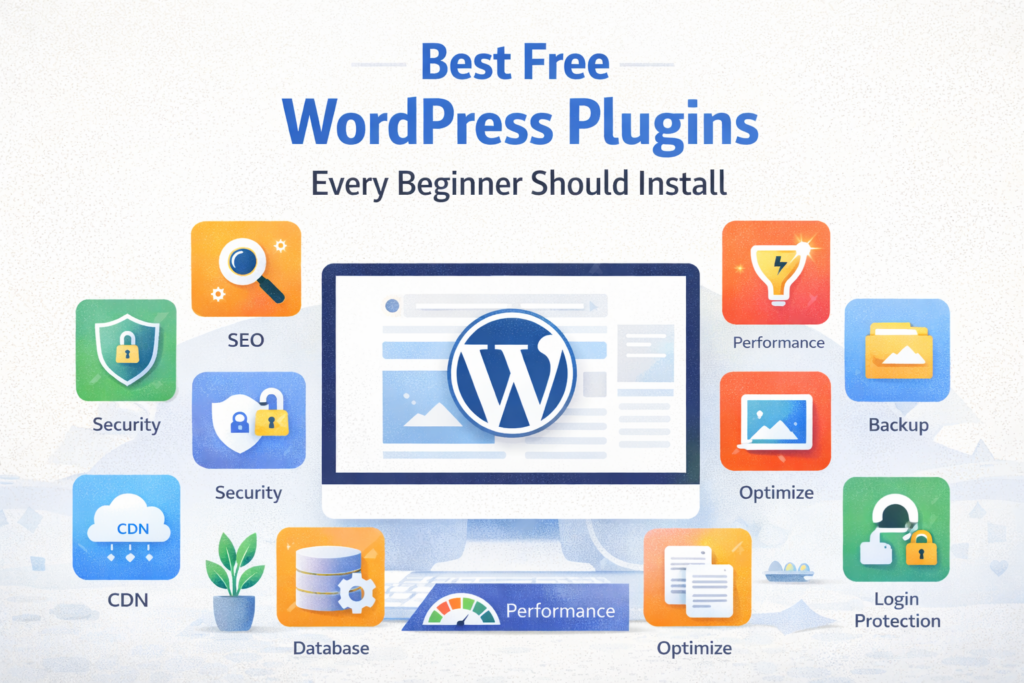
WordPress plugins extend the functionality of your website — allowing you to improve SEO, enhance security, optimize speed, and add advanced features without coding.
However, beginners often make a critical mistake: installing too many or the wrong plugins.
In this comprehensive guide, we will cover the best free WordPress plugins every beginner should install in 2026.
🚀 What Are WordPress Plugins?
WordPress plugins are software extensions that add new features to your website.
According to WordPress Plugin Directory, there are over 60,000 plugins available.
They allow you to:
- Add SEO functionality
- Improve website speed
- Secure your website
- Create forms
- Build online stores
⚠️ Important Rule Before Installing Plugins
Less is more.
Too many plugins can:
- Slow down your website
- Cause conflicts
- Create security risks
Always install only necessary plugins.
🧠 Categories of Essential Plugins
We will divide plugins into categories:
- SEO Plugins
- Security Plugins
- Performance Plugins
- Backup Plugins
- Utility Plugins
🔍 1. SEO Plugin (Must-Have)
Rank Math SEO
Rank Math is one of the best free SEO plugins.
- On-page SEO optimization
- Keyword tracking
- Schema markup
- XML sitemap
Why you need it: Helps your website rank on Google.
🛡️ 2. Security Plugin
Wordfence Security
Wordfence protects your website from hackers.
- Firewall protection
- Malware scanning
- Login security
Why you need it: Prevents hacking and attacks.
⚡ 3. Performance Plugin
WP Super Cache
WP Super Cache improves speed by caching pages.
- Faster load times
- Reduced server load
Why you need it: Speed improves SEO and user experience.
💾 4. Backup Plugin
UpdraftPlus
UpdraftPlus allows automatic backups.
- Backup to cloud
- Easy restore
Why you need it: Protects your data.
📩 5. Contact Form Plugin
WPForms Lite
WPForms helps create forms.
- Drag and drop builder
- Beginner-friendly
🧹 6. Database Optimization Plugin
WP-Optimize
WP-Optimize cleans database.
- Remove junk data
- Improve performance
🖼️ 7. Image Optimization Plugin
Smush
Smush compresses images.
- Faster loading
- Better SEO
🔗 8. Internal Linking Plugin
Link Whisper (Free Version)
Helps create internal links.
Why important: Improves SEO and navigation.
📊 9. Analytics Plugin
Site Kit by Google
Site Kit connects your site with Google services.
- Analytics
- Search Console
🔐 10. Login Protection Plugin
Limit Login Attempts Reloaded
Protects from brute force attacks.
📈 How Plugins Help SEO and Growth
Plugins play a major role in:
- Improving search rankings
- Enhancing speed
- Strengthening security
According to Google Search Central, technical optimization significantly impacts rankings.
💡 Pro Tip
Instead of installing multiple plugins manually, beginners can use optimized WordPress setups that already include essential configurations.
This saves time and avoids technical mistakes.
❌ Common Mistakes
- Installing too many plugins
- Using outdated plugins
- Ignoring plugin updates
❓ FAQs
1. How many plugins should I install?
5–10 essential plugins are enough.
2. Do plugins slow down website?
Too many plugins can slow your site.
3. Are free plugins safe?
Yes, if downloaded from official repository.
4. Which plugin is best for SEO?
Rank Math is highly recommended.
5. Do I need security plugin?
Yes, it is essential.
6. What is caching plugin?
Improves speed by storing static files.
7. How often update plugins?
Always keep plugins updated.
8. Can plugins conflict?
Yes, poorly coded plugins may conflict.
9. Are premium plugins better?
Some offer advanced features.
10. Can I remove plugins later?
Yes, unused plugins should be removed.
Final Thoughts
Choosing the right plugins is essential for building a successful WordPress website.
Focus on quality, not quantity.
Start with these essential plugins and scale gradually as your website grows.