Best Hosting for WordPress Beginners (Complete Guide 2026)
Choosing the right hosting is one of the most important decisions when starting a WordPress website. Many beginners focus on design and content but ignore hosting, which directly affects website speed, security, SEO, and overall performance. A poor hosting choice can result in slow loading times, frequent downtime, and security vulnerabilities, while a good hosting environment can significantly improve user experience and search engine rankings.
In this complete guide, you will learn everything you need to know about WordPress hosting, including types of hosting, key features to look for, and how to choose the best hosting for beginners in 2026.
According to WordPress.org, selecting a reliable hosting provider is essential for maintaining website performance and security.
📌 What is WordPress Hosting?
WordPress hosting is a type of web hosting specifically optimized to run WordPress websites efficiently. It includes features such as one-click installation, optimized server configurations, enhanced security, and improved performance tailored for WordPress.
Unlike generic hosting, WordPress hosting ensures compatibility, speed, and stability, making it easier for beginners to manage their websites.
🎯 Why Hosting Matters for Beginners
Hosting is the foundation of your website. Every page, image, and piece of content is stored on your hosting server. If your hosting is slow or unreliable, your entire website suffers.
Here’s why hosting is critical:
- Website speed affects user experience and SEO
- Downtime can result in lost visitors and revenue
- Security protects your website from attacks
- Scalability allows your website to grow
Google considers page speed and performance as ranking factors, which makes hosting even more important.
🧠 Types of WordPress Hosting
1. Shared Hosting
Shared hosting is the most common and affordable option for beginners. Multiple websites share the same server resources.
Advantages:
- Low cost
- Easy to use
- Suitable for beginners
Disadvantages:
- Limited resources
- Performance may vary
Shared hosting is ideal for new websites with low to moderate traffic.
2. VPS Hosting
Virtual Private Server (VPS) hosting provides dedicated resources within a shared environment.
Advantages:
- Better performance
- More control
Disadvantages:
- Higher cost
- Requires technical knowledge
3. Managed WordPress Hosting
Managed hosting takes care of technical aspects such as updates, backups, and security.
Advantages:
- Optimized performance
- Automatic updates
- Enhanced security
Disadvantages:
- More expensive
4. Cloud Hosting
Cloud hosting uses multiple servers for better reliability and scalability.
Advantages:
- High uptime
- Scalable resources
🔍 Key Features to Look for in WordPress Hosting
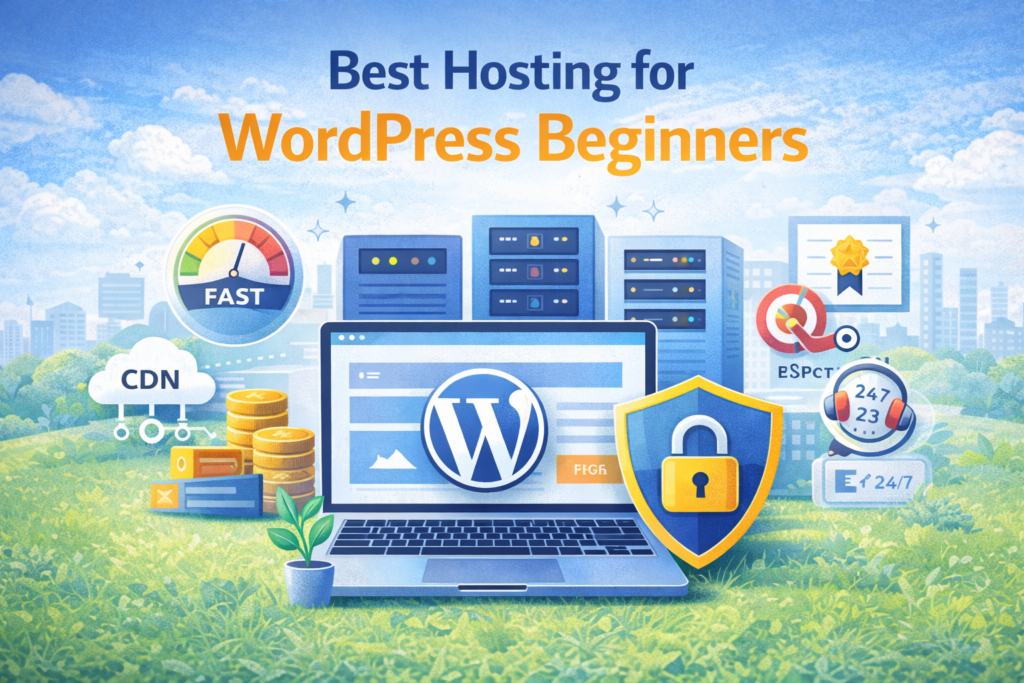
1. Speed and Performance
Fast loading websites provide better user experience and SEO benefits. Look for hosting with optimized servers and caching support.
2. Uptime Guarantee
Choose hosting with at least 99.9% uptime to ensure your website is always accessible.
3. Security Features
Essential security features include:
- SSL certificate
- Firewall protection
- Malware scanning
4. Ease of Use
Beginners should choose hosting with user-friendly control panels and one-click WordPress installation.
5. Customer Support
Reliable support is crucial, especially for beginners. Look for 24/7 support.
6. Scalability
Your hosting should allow upgrades as your website grows.
⚡ How Hosting Affects SEO
Hosting plays a significant role in SEO. According to Google Search Central, page speed and uptime directly impact rankings.
Good hosting improves:
- Page load speed
- User experience
- Crawl efficiency
📊 Common Mistakes Beginners Make
- Choosing the cheapest hosting
- Ignoring performance
- Not checking support quality
- Overlooking security features
🛡️ Hosting and Security
Secure hosting protects your website from attacks and data loss. Hosting providers should offer regular backups, firewalls, and malware protection.
💡 Pro Tip
Beginners should always choose hosting that includes pre-configured WordPress setup, optimized themes, and essential security features. This reduces technical complexity and ensures better performance from day one.
❓ FAQs
1. What is the best hosting for beginners?
Shared hosting is the best starting point.
2. Does hosting affect SEO?
Yes, speed and uptime impact rankings.
3. Is free hosting good?
No, it lacks performance and security.
4. What is uptime?
Time your website remains online.
5. Do I need WordPress hosting?
Yes, for better optimization.
6. How much does hosting cost?
Typically $30–100 per year.
7. Can I upgrade hosting later?
Yes, most providers allow upgrades.
8. What is shared hosting?
Multiple websites share one server.
9. Is hosting secure?
Depends on provider.
10. How to choose hosting?
Focus on speed, security, and support.
Final Thoughts
Choosing the right hosting is the foundation of your website’s success. A reliable hosting provider ensures better performance, improved SEO, and enhanced user experience. Beginners should focus on simplicity, speed, and security when selecting hosting.
If you are looking for a complete solution, Preneurs offers WordPress shared hosting with pre-installed themes, optimized performance, and beginner-friendly setup. This allows you to launch your website quickly without dealing with technical complexities, making it an ideal choice for beginners who want a fast, secure, and SEO-ready website.