How to Optimize Blog Images for SEO (Complete Guide for 2026)
When bloggers think about SEO, they usually focus on keywords, content writing, backlinks, and technical optimization. Images often receive attention only after the article is finished. Someone uploads a file named “IMG12345.jpg,” inserts it into the article, and moves on.
This small habit quietly creates SEO problems.
Images are not just visual elements. They influence page speed, user experience, accessibility, engagement, and search visibility. Search engines cannot interpret images exactly like humans do. They rely on supporting signals to understand what an image represents.
Optimized images help search engines understand content more effectively while improving overall user experience.
According to Google Image SEO documentation, image optimization helps search engines understand visual content and improve discoverability.
This guide explains how image optimization works and how beginners can implement it properly in 2026.
📌 What Is Image SEO?
Image SEO refers to the process of optimizing images so search engines can understand, index, and display them appropriately.
It involves optimizing file names, dimensions, formats, alt text, loading performance, and contextual relevance.
Good image optimization creates benefits beyond rankings.
It improves website speed, accessibility, and user engagement.
In many cases, optimized images can also generate traffic directly from Google Images.
🎯 Why Image SEO Matters More Than Most People Realize
Images affect several ranking factors simultaneously.
Large image files slow websites.
Poorly named images create weak contextual signals.
Missing alt text reduces accessibility.
Heavy pages create poor mobile experiences.
Google increasingly evaluates overall page experience rather than isolated SEO signals.
Small improvements across multiple areas can create noticeable results.
🧠 Search Engines Do Not “See” Images Like Humans
Humans immediately understand a photograph.
Search engines require additional information.
Although AI vision systems have improved dramatically, search engines still rely heavily on text-based clues.
These clues include:
File names.
Alt text.
Nearby content.
Captions.
Structured data.
Page context.
Together these signals help search engines interpret image meaning.
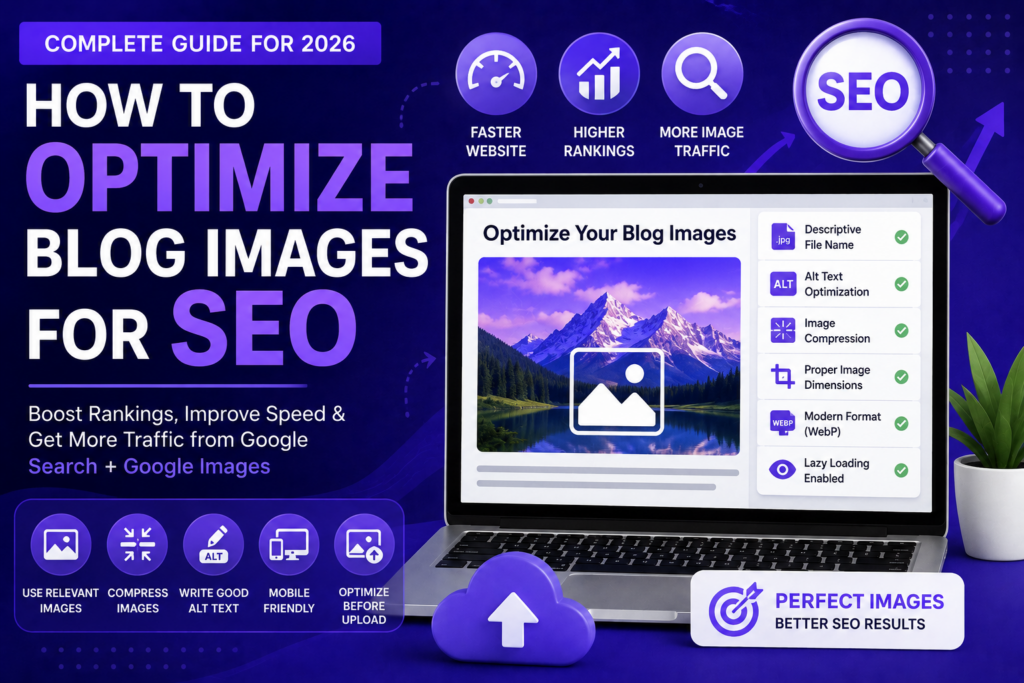
📷 Start With Proper File Names
One of the simplest mistakes beginners make involves file names.
Many uploads look like this:
IMG_48392.jpg
That file name tells search engines almost nothing.
Instead, use descriptive naming.
For example:
wordpress-speed-optimization-guide.jpg
This immediately provides useful context.
Keep names short, descriptive, and relevant.
Separate words using hyphens.
⚡ Compress Images Before Uploading
Large image files slow websites significantly.
Speed affects both user experience and SEO.
Visitors dislike waiting for heavy pages.
Google notices these signals.
Compress images before uploading whenever possible.
Tools such as TinyPNG and Squoosh help reduce file size while preserving quality.
Small reductions repeated across dozens of pages can create major performance gains.
🚀 Choose the Right Image Format
Different image formats serve different purposes.
JPEG works well for photographs.
PNG often works better for graphics requiring transparency.
WebP usually provides stronger compression and performance advantages.
Modern websites increasingly adopt WebP because it combines quality and efficiency.
Google also supports WebP for improved performance.
🔍 Write Effective Alt Text
Alt text helps describe images for accessibility and search engines.
It should explain image content naturally.
Many beginners misuse alt text by stuffing keywords.
Bad example:
SEO image SEO optimize image SEO image optimization SEO.
Good example:
Illustration showing WordPress image optimization process.
Natural descriptions usually perform better.
Accessibility benefits matter too.
Users relying on screen readers depend on meaningful descriptions.
📱 Optimize Images for Mobile Users
Most website traffic now comes from mobile devices.
Large images that look fine on desktop can create mobile problems.
Responsive image handling is important.
Images should scale appropriately without slowing page loading.
Mobile-first indexing makes this increasingly important.
📊 Use Lazy Loading Carefully
Lazy loading delays image loading until users reach specific sections.
This reduces initial page load time.
Modern WordPress versions often support lazy loading automatically.
Used correctly, lazy loading improves performance.
Learn more through web.dev.
🔗 Keep Images Contextually Relevant
Images should support nearby content.
Random stock images often create weak signals.
If your article discusses WordPress security, screenshots or related visuals create stronger relevance than unrelated decorative graphics.
Context helps both users and search engines.
🤖 Image SEO in the AI Search Era
AI systems increasingly understand visual information.
However, contextual signals still matter greatly.
Future search systems will likely evaluate visual and textual signals together.
Well-structured image optimization supports both.
Google continues improving image understanding technologies, but optimization remains valuable.
⚠️ Common Image SEO Mistakes
Uploading huge files.
Ignoring alt text.
Using random file names.
Stuffing keywords unnaturally.
Using irrelevant stock photos everywhere.
Ignoring mobile performance.
These issues quietly reduce overall SEO quality.
💡 Practical Advice for Preneurs
Preneurs already creates custom featured images using consistent branding colors and design structure.
This creates opportunities beyond aesthetics.
Every image should also include optimized file names, proper dimensions, alt text, and compression.
Over time, image optimization supports both SEO and user experience.
❓ FAQs
1. What is image SEO?
Optimizing images for search engines and users.
2. Does image SEO matter?
Yes.
3. Should I use alt text?
Absolutely.
4. Is WebP better?
Often yes.
5. Can images affect speed?
Yes significantly.
6. Can image optimization improve rankings?
Indirectly and sometimes directly.
7. Is image compression necessary?
Strongly recommended.
8. Can images rank in Google?
Yes.
9. Should image names contain keywords?
Naturally, yes.
10. Is lazy loading useful?
Usually yes.
Final Thoughts
Image optimization often appears small, but SEO success frequently comes from many small improvements working together.
Optimized images create faster pages, stronger accessibility, better user experiences, and additional traffic opportunities.
Do not treat images as decoration. Treat them as part of your SEO strategy.