How to Use Google Search Console (Beginner Guide for 2026)
If you are serious about growing your website through SEO, then Google Search Console is not optional — it is essential. Many beginners focus only on writing content but completely ignore how their website is performing in search results. Without data, you are just guessing.
Google Search Console is a free tool provided by Google that helps you monitor, maintain, and improve your website’s presence in search results. It tells you how your website appears on Google, which keywords are bringing traffic, and what technical issues are affecting your rankings.
According to Google Search Console documentation, it is one of the most important tools for website owners to understand search performance and fix issues.
This guide will walk you step-by-step through everything you need to know about using Google Search Console effectively in 2026.
📌 What is Google Search Console?
Google Search Console (GSC) is a free tool that allows you to monitor how your website performs in Google Search. It provides insights into how Google sees your website, including indexing status, search queries, traffic, and technical issues.
It does not just show data — it helps you take action. You can identify problems, fix them, and improve your website’s visibility.
🎯 Why Google Search Console is Important
Without Search Console, you are blind to your SEO performance. You would not know which pages are ranking, which keywords are bringing traffic, or why certain pages are not indexed.
This tool helps you understand:
How your website appears in search results, what users are searching for, and which pages need improvement.
It also alerts you about technical issues that may prevent your site from ranking properly.
🧠 Step-by-Step Guide to Setting Up Google Search Console
Step 1: Create an Account
Go to Google Search Console and sign in using your Google account.
Click on “Add Property” and enter your website URL.
Step 2: Verify Your Website
Google needs to verify that you own the website. There are multiple methods available, but the easiest one for WordPress users is using the HTML tag or DNS verification.
Once verified, Google will start collecting data.
Step 3: Submit Your Sitemap
A sitemap helps Google discover your pages quickly. You can submit your sitemap in the “Sitemaps” section.
If you are using an SEO plugin, your sitemap is usually available at:
yourwebsite.com/sitemap.xml
Submitting your sitemap improves indexing efficiency.
📊 Understanding the Performance Report
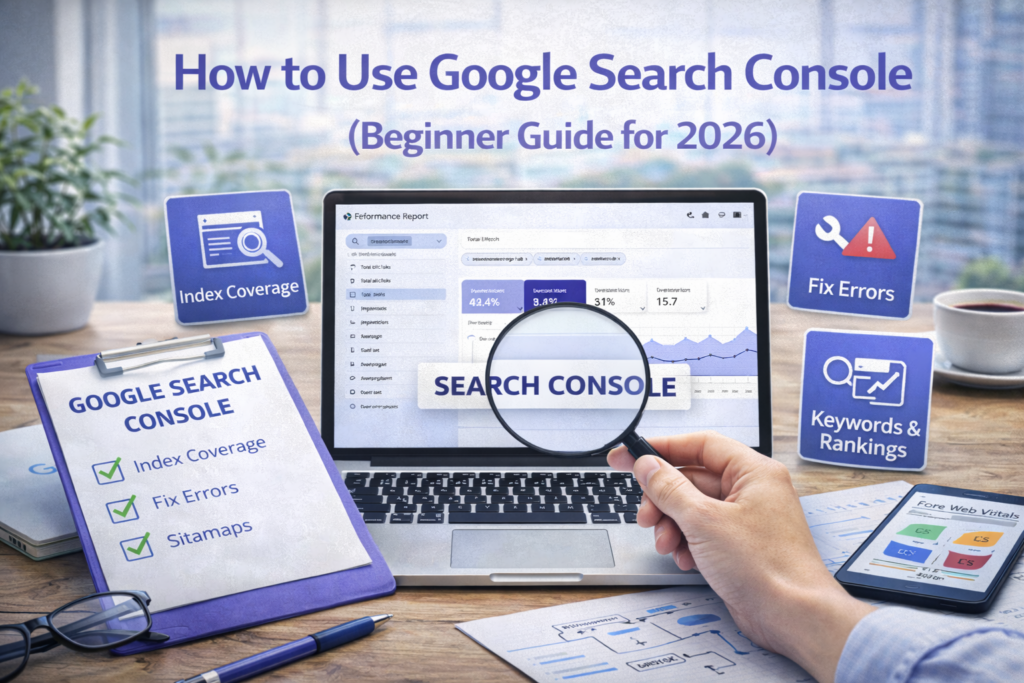
The Performance report is one of the most powerful features of Google Search Console. It shows how your website is performing in search results.
You can see metrics such as clicks, impressions, click-through rate (CTR), and average position.
Clicks represent how many users visited your website from search results. Impressions show how many times your site appeared in search results.
CTR indicates how many people clicked your link compared to how many saw it. A low CTR may indicate that your title or meta description needs improvement.
Average position shows your ranking on Google.
By analyzing this data, you can identify which keywords are performing well and which pages need optimization.
🔍 URL Inspection Tool
The URL Inspection tool allows you to check whether a specific page is indexed by Google.
If a page is not indexed, you can request indexing manually. This is useful when you publish new content and want Google to discover it quickly.
This tool also helps identify issues such as crawl errors or blocked pages.
⚙️ Index Coverage Report
The Index Coverage report shows which pages are indexed and which are not. It also highlights errors and warnings.
Common issues include:
Pages not found (404 errors), pages blocked by robots.txt, and duplicate content issues.
Fixing these issues ensures that your content is properly indexed and visible in search results.
📱 Mobile Usability Report
This report shows whether your website is mobile-friendly. Since Google uses mobile-first indexing, any issues here can affect your rankings.
Ensure that your website is responsive and easy to use on mobile devices.
⚡ Core Web Vitals Report
Core Web Vitals measure user experience based on speed, responsiveness, and visual stability.
Improving these metrics can significantly boost your rankings.
Learn more at web.dev.
🔗 Links Report
This section shows your internal and external links. Internal links help search engines understand your site structure, while external links (backlinks) improve authority.
Monitoring your links helps you build a stronger SEO strategy.
📈 How to Use GSC for SEO Growth
Google Search Console is not just a reporting tool — it is a growth tool.
You can identify keywords where your page is ranking on page 2 or 3 and optimize those pages to push them to page 1.
You can also find pages with high impressions but low clicks and improve their titles and meta descriptions.
This allows you to increase traffic without creating new content.
🤖 Google Search Console and AI SEO
In 2026, SEO is closely connected with AI. Search engines analyze user behavior and content quality using advanced algorithms.
Google Search Console provides the data that helps you align your content with these algorithms.
It allows you to understand user intent and improve content accordingly.
⚠️ Common Mistakes Beginners Make
Many beginners set up Search Console but never use it. Others ignore errors or fail to analyze performance data.
Some rely only on publishing content without tracking results.
SEO is not just about publishing — it is about measuring and improving.
💡 Pro Tip
Check your Search Console data at least once a week. Focus on improving existing content instead of always creating new content.
This strategy can significantly increase your traffic.
❓ FAQs
1. Is Google Search Console free?
Yes, it is completely free.
2. Do I need it for SEO?
Yes, it is essential.
3. How often should I check it?
At least once a week.
4. What is sitemap?
A file listing your website pages.
5. Can I request indexing?
Yes, using URL inspection tool.
6. What is CTR?
Click-through rate.
7. Does it show keywords?
Yes, in performance report.
8. What is indexing?
Adding pages to Google database.
9. Can beginners use it?
Yes, it is beginner-friendly.
10. Does it improve rankings?
Indirectly, by providing insights.
Final Thoughts
Google Search Console is one of the most powerful tools for SEO. It gives you real data, real insights, and real opportunities to improve your website.
If you use it consistently, you can identify problems, optimize content, and grow your traffic effectively.
Stop guessing and start analyzing — that is how real SEO works.