On-Page SEO Checklist (Complete Guide for 2026)
When it comes to ranking on Google, most beginners focus only on writing content. However, writing content alone is not enough. You need to optimize that content properly so that search engines can understand it and rank it higher. This is where on-page SEO plays a critical role.
On-page SEO refers to all the optimizations you perform within your website and content to improve search engine rankings. It includes everything from your title, headings, and keywords to your internal linking, images, and user experience.
In 2026, on-page SEO is no longer about stuffing keywords. It is about clarity, structure, relevance, and user satisfaction. According to Google Search Guidelines, content should be created for users first, not just for search engines. This guide will walk you through a complete, practical on-page SEO checklist that actually works.
📌 What is On-Page SEO?
On-page SEO is the process of optimizing individual web pages to rank higher and earn more relevant traffic from search engines. Unlike off-page SEO (which involves backlinks), on-page SEO is fully within your control.
It ensures that your content is structured, readable, and aligned with search intent. When done correctly, it helps search engines understand your content and match it with user queries.
🎯 Why On-Page SEO is Important
Without proper on-page SEO, even high-quality content may fail to rank. Search engines rely on signals such as keywords, structure, and user engagement to determine the relevance of your content.
Good on-page SEO improves visibility, increases click-through rate, enhances user experience, and ultimately drives more organic traffic to your website.
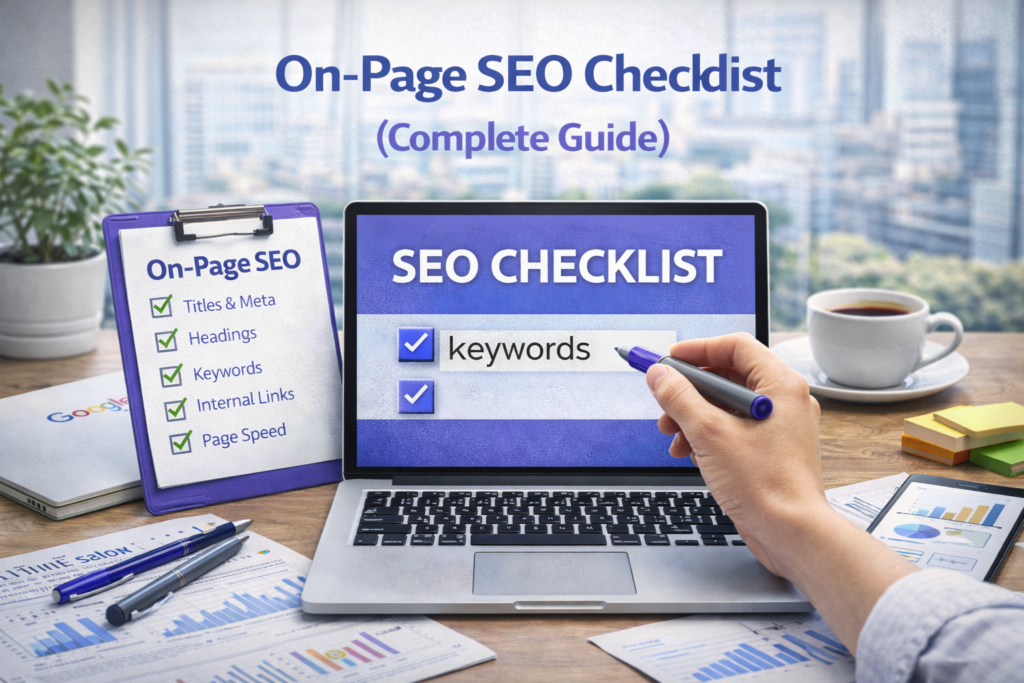
🧠 Complete On-Page SEO Checklist
1. Optimize Your Title Tag
Your title tag is the first thing users see in search results. It directly impacts whether someone clicks on your link or ignores it. A well-optimized title should include your primary keyword and be compelling enough to attract attention.
For example, instead of writing a generic title like “SEO Guide,” you should write something more specific and engaging like “Complete On-Page SEO Checklist for Beginners (2026 Guide).”
Keep your title under 60 characters to ensure it displays properly in search results.
2. Write a Strong Meta Description
The meta description provides a brief summary of your content. While it does not directly impact rankings, it plays a major role in improving click-through rate.
A good meta description should clearly explain what the user will get from your content. It should include your keyword naturally and stay within 150–160 characters.
Learn more about meta descriptions from Google documentation.
3. Use Proper Heading Structure
Headings are not just for styling. They help search engines understand the structure of your content. Use one H1 tag for your title, H2 for main sections, and H3 for sub-sections.
A clear heading structure improves readability and helps users scan your content easily. It also increases your chances of appearing in featured snippets.
4. Optimize URL Structure
Your URL should be short, descriptive, and keyword-rich. Avoid long and confusing URLs with unnecessary words or numbers.
For example:
yourwebsite.com/on-page-seo-checklist
instead of:
yourwebsite.com/page?id=12345&seo=guide
Clean URLs improve both user experience and SEO.
5. Use Keywords Naturally
Keywords are still important, but how you use them matters more. Your primary keyword should appear in the title, introduction, headings, and throughout the content naturally.
Avoid keyword stuffing. Instead, focus on context and relevance. Search engines now understand synonyms and related terms, so your content should sound natural and human.
6. Optimize Content Quality and Depth
Content is the core of on-page SEO. Your article should be comprehensive, informative, and helpful. Thin or shallow content will not rank in 2026.
Focus on solving user problems. Provide clear explanations, real examples, and actionable steps. Longer content tends to perform better because it covers topics in depth.
7. Improve Internal Linking
Internal linking connects your articles and helps search engines understand your website structure. It also keeps users engaged by guiding them to related content.
For example, when writing about SEO, you can link to your articles on keyword research and website speed optimization.
This creates a strong content network that improves rankings.
8. Optimize Images and Media
Images improve user experience but can slow down your website if not optimized. Always compress images and use descriptive alt text.
Alt text helps search engines understand what the image is about and improves accessibility.
You can use tools like TinyPNG to compress images.
9. Improve Page Speed
Page speed is a ranking factor. A slow website can increase bounce rate and reduce user satisfaction.
Use tools like Google PageSpeed Insights to test your website speed and identify issues.
Optimizing hosting, images, and caching can significantly improve performance.
10. Make Your Website Mobile-Friendly
Most users access websites through mobile devices. Google uses mobile-first indexing, which means it evaluates your mobile version first.
Your website should be responsive, fast, and easy to navigate on all devices.
11. Use External Links (Smartly)
Linking to authoritative sources increases credibility and trust. It shows that your content is well-researched and reliable.
However, do not overuse external links. Use them only where they add value.
12. Focus on User Experience (UX)
User experience is becoming increasingly important in SEO. If users spend more time on your website and interact with your content, it signals quality to search engines.
Make your content easy to read, visually appealing, and logically structured.
13. Optimize for Featured Snippets
Featured snippets appear at the top of search results. To increase your chances, provide clear and direct answers to common questions.
Use structured content and concise explanations.
14. Ensure Content Freshness
Updating content regularly keeps it relevant and improves rankings. Add new information, update outdated data, and improve clarity.
📊 On-Page SEO and AI Optimization
Search engines now use AI to understand content better. This means your content should be contextually rich and user-focused.
Instead of writing for algorithms, write for humans. Use natural language, answer questions clearly, and provide value.
⚠️ Common On-Page SEO Mistakes
Many beginners make mistakes such as keyword stuffing, ignoring user intent, using poor structure, and neglecting technical aspects. These mistakes can prevent your content from ranking.
SEO is not about tricks. It is about doing the basics correctly and consistently.
💡 Pro Tip
Think of on-page SEO as communication. You are explaining your content to both users and search engines. The clearer your communication, the better your results.
❓ FAQs
1. What is on-page SEO?
Optimization within your website to improve rankings.
2. Is on-page SEO important?
Yes, it is essential for ranking.
3. What is the most important factor?
Content quality and user intent.
4. Does keyword placement matter?
Yes, but it should be natural.
5. How long should content be?
1500–2500 words depending on topic.
6. Is page speed important?
Yes, it is a ranking factor.
7. What is internal linking?
Linking pages within your website.
8. Should I use images?
Yes, but optimize them.
9. Can beginners do SEO?
Yes, with practice.
10. How long to see results?
Usually 3–6 months.
Final Thoughts
On-page SEO is the foundation of your website’s success. It ensures that your content is clear, structured, and optimized for both users and search engines.
If you follow this checklist consistently, your chances of ranking higher on Google will increase significantly.
Focus on clarity, value, and user experience — that is the future of SEO.